Free trial
Get to know Netkido on your own network.
- Up to 2 sites
- Limited bandwidth
- No time limit
- Email alerts and support
Netkido links offices, shops and warehouses through encrypted tunnels. You run one command on a Linux box at each site and within a couple of minutes they can reach each other, with no open ports and no router changes.
Try it free with up to two sites, with limited bandwidth.
No networking background needed. Each site needs a small Linux box that acts as the router for its local network; any single-board computer (SBC) with two network cards will do.
In the dashboard you give it a name and enter the range of its local network. Netkido reserves an address for it inside your private network.
Paste the command we give you on that site's box. The link works only once and expires after 24 hours.
The box enrols, brings up the tunnel and starts reporting its status. Your other sites can already reach its local network.
$ curl -fsSL https://netkido.tech/install/Xa81…qK | sudo bash
[netkido] Installing site “Getafe warehouse” on warehouse-gw (Debian GNU/Linux 12)
[netkido] Packages
[netkido] Agent
[netkido] Enrolling with the portal
[netkido] Checking the tunnel
[netkido] tunnel to the hub: OK

 Site installed. Agent log:  journalctl -u netkido-agent -f
All traffic between sites is encrypted. The box at each site only needs outbound Internet access: no ports to open and no static IP to ask for.
Each company gets its own routing table and its own isolation on the hub. No other customer can see or reach your networks.
Latency, traffic and last contact for each site, with an event history. If a site stops responding, we email you.
Run checks on a site (tunnel, routes, MTU, agent log) without connecting to it over SSH.
Invite colleagues as admins or read-only members. Account owners always sign in with two-factor authentication.
The agent at each site updates itself and verifies every release before installing it.
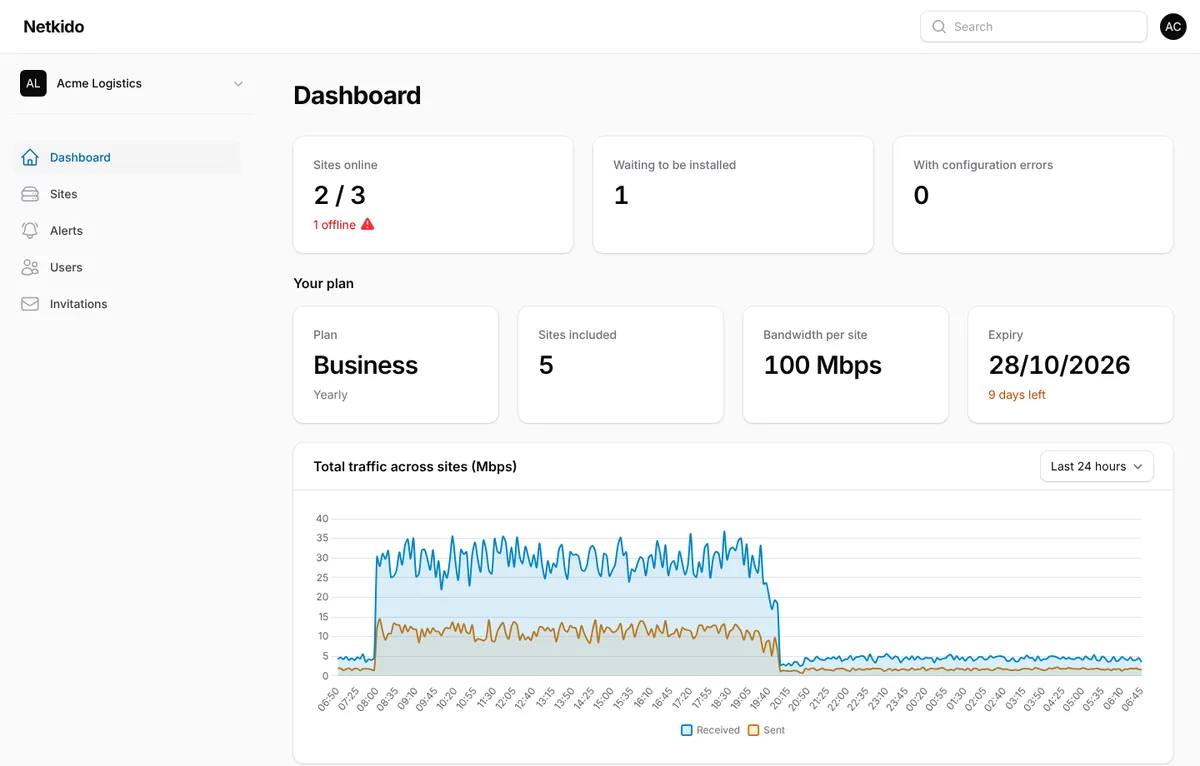
Every shop's point of sale reaches the head-office server, and cameras can be checked from the office without exposing anything to the Internet.
The ERP, label printers and warehouse scanners on the same network as the office, even in another city.
Accountants, clinics or studios that share a file server and phone system across two or three offices.
Create your account and connect your first sites today. When you need more, we upgrade it without reinstalling anything.
Get to know Netkido on your own network.
More sites, more bandwidth or special requirements.
Tell us how many sites you have and what you need, and we will send you a proposal. When you upgrade, your sites keep running: the change is applied to your account without touching the devices.
A Linux box that acts as the router for that site's local network: a mini PC or any single-board computer (SBC) is enough. Ideally it has two network ports, one towards your Internet router and one for the local network.
Supported systems: Debian 12 and 13, Ubuntu 22.04 and 24.04 and Armbian, 64-bit (amd64 or arm64). Armbian runs on most SBCs, such as Orange Pi or Rock Pi boards.
No. The box at each site starts the connection to the Netkido hub, so it only needs outbound Internet access. It works behind your ISP's router, with a dynamic IP and behind CG-NAT.
Traffic between each site and the hub is encrypted with WireGuard. On the hub, each customer's network is isolated from the others: routes are never mixed and traffic between customers is blocked.
The dashboard requires two-factor authentication for account owners, and each site identifies itself with its own keys, which you can renew or disable from the dashboard at any time.
No. Each site needs its own local network that does not overlap with the others (for example 192.168.10.0/24 at one and 192.168.20.0/24 at another). The dashboard warns you if you pick a range another site already uses.
We email you before it expires. If it is not renewed, the account goes back to the free trial: no site is deleted or disconnected, but its bandwidth applies and you cannot add new sites while you have more than two.
Write to us from the contact form with how many sites you have and what you need. We send you a proposal and, once you accept it, we activate it on your account. Payment is by invoice, monthly or yearly. The free trial asks for no payment details.
Tell us how many sites you have and what you need to connect. We reply within one or two working days.
You can also write to us directly at
info@netkido.tech
Thank you. We will reply to the email address you gave us within one or two working days.